X-SABRE Pro Firmware Upgrade
X-SABREPRO MCU+FPGAV1.82FirmwareUpdateLog:
1. OptimizedthedigitalfilterconfigurationofES9038PRO,reducejitterandimproveharmonic.
2. Addedthevolumeshadoweffect.
3. The display colorof synchronous modechange to blue, that canquick todistinguishthemode.
4. Pressandholdvolumedownformorethan1.5secondscanquicklyturndownthevolume.
5. Optimizedthenoiseofswitchtracksinsynchronousmode.
X-SABREPRO XMOSV6.C6FirmwareUpdateLog:
1. OptimizedtheXMOSfirmwarewiththeFPGAchanges.
Rangeofapplication
ApplicabletoallfirmwareversionwhichbelowMCU + FPGAV1.82andXMOSV6.C6onX-SABREPRO.
Click HERE to download the upgrade tool, new firmwear and the operation instruction.
X-SABREPRO FirmwareUpdateProcedure
Warning:Duringtheupdateprocess,pleaseensurethatthecomputerUSBcableconnectionanddevicepowersupply connectionisreliable. Unexpected powersupplyfailure ordisconnectionwillcausethedevicefirmwaretobedamagedandmaynotworkproperly.
Part1:MCU+FPGAV1.82Firmwareupdate
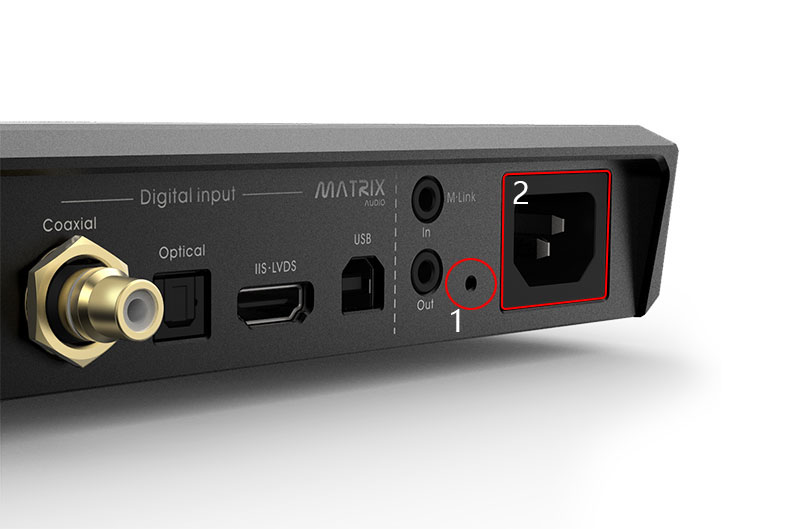
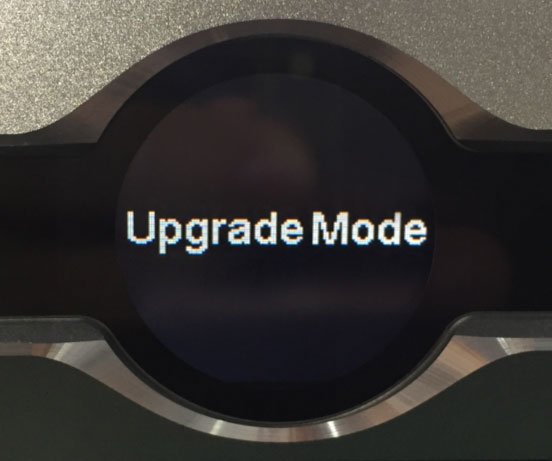
1. Pressandholdtheupgradebuttononrearpanel,thenpluginthepowercable,releasethe upgradebuttonuntilthescreenshows“UpgradeMode”,asshownbelow.
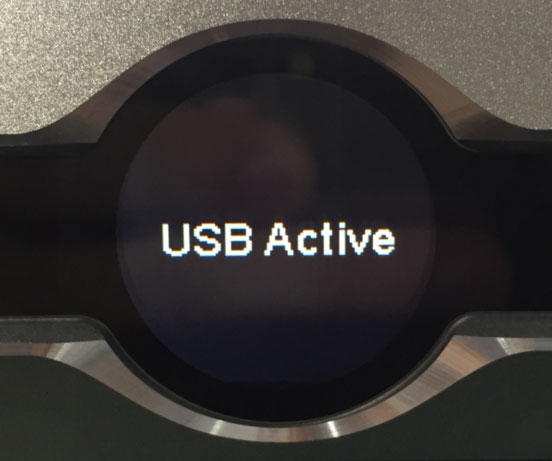
2. ConnecttheUSBcabletoPC,screenwillshow“USBActive”,asshownbelow.
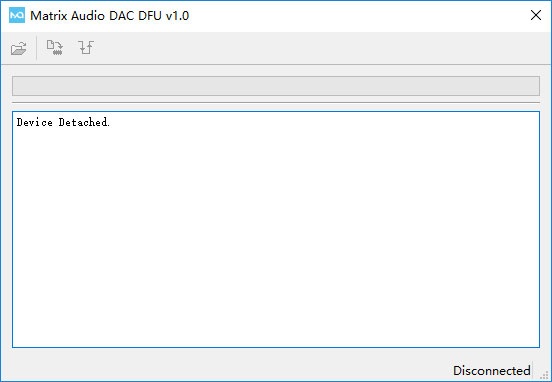
3. Double-clickthe update tool”Matrix_Audio_DAC_DFU_V1.0.exe”,theinterfaceasshown below.
4. Itwillshowconnectionifyourdeviceisconnectedproperly,asshownbelow.
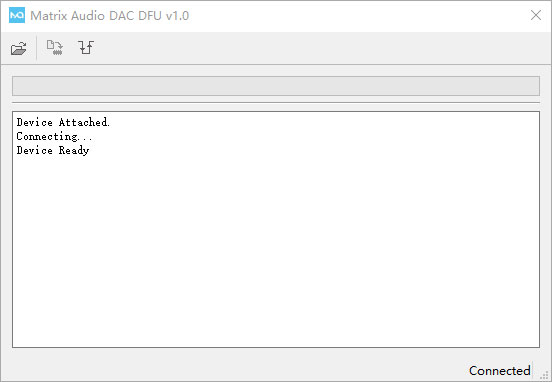
5. Loadtheupdateimagefile,asshownbelow.
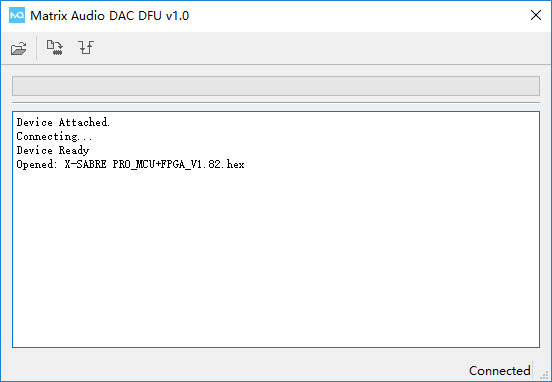
6. Clickthestartbuttontobeginupdate,itwillshowupdatesuccessfully afterprogress barends.
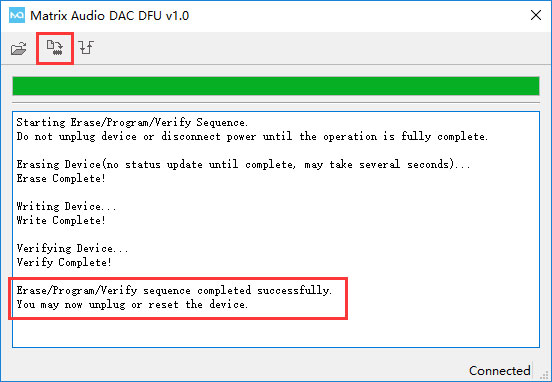
7. Aftertheupdatesucceed,clickresetbuttontorestartthedevice,asshownbelow.
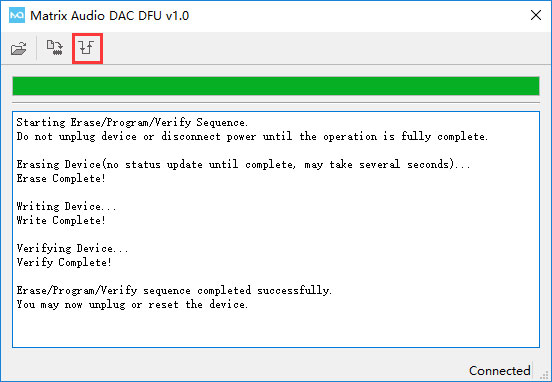
8. Afterdevicerestarted, theupgradeimagefile will be automatically loaded. During this process,pleasekeepthepowersupplyconnecting,thescreenwillbrieflydisplaysuccessful aftertheupgrade,asshownbelow.
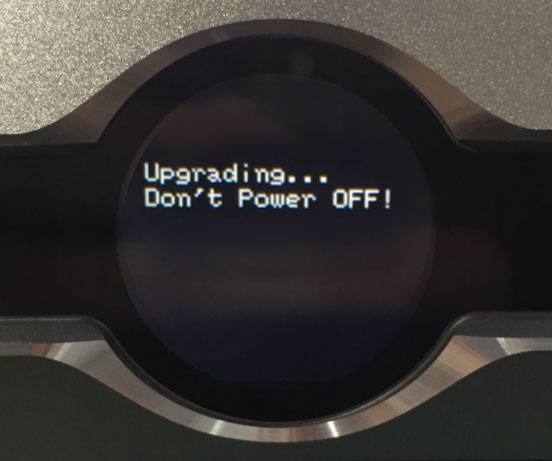
9. After theupgradecompleted,thedevice automatically back tostandbystatus,please operateaftertheredpowerindicatoristurnedoff,gotoitem11intheconfigurationmenuto checkthecurrentfirmwareversion.
Part2:XMOSv6.C6Firmwareupdate
1. ConnectX-SABREPROtoPCviaUSBcable,poweronandkeepthepoweronstatus,double click"Matrix_AudioDfu"inthedriverrootdirectory,asshownbelow.
Note:Ifyourdriver is version V4.12, pleaseopenthedriverinstallationpackage Matrix_AudioDfufoldertofindtheupgradeprogramtool.
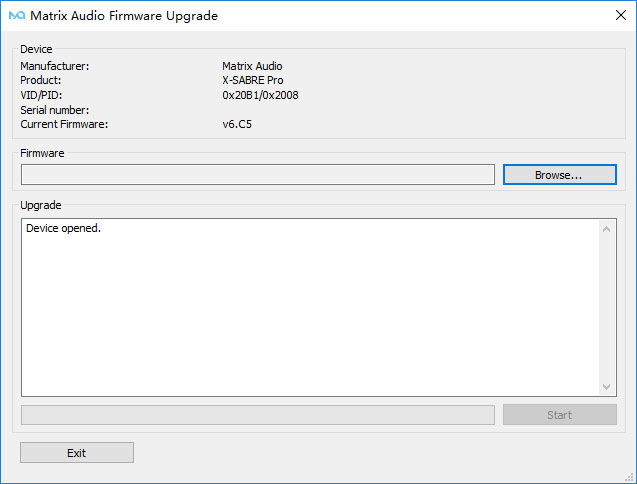
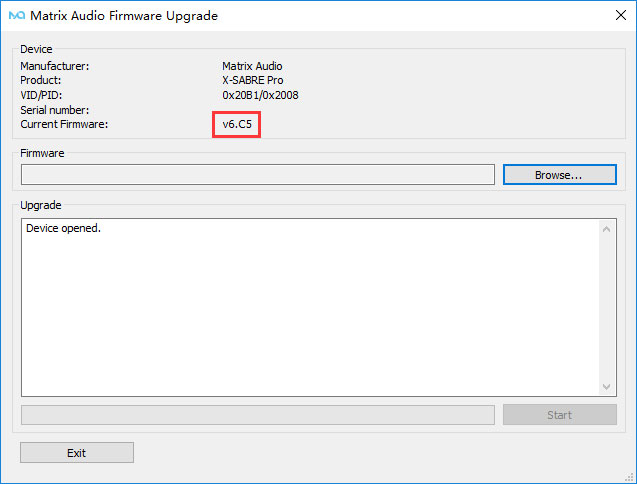
2. Youcanseethefirmwareversionofthecurrentdevice.Ifthefirmwareversionisnot"V6.C6", thenyouneedtoupdateto"v6.C6".Ifthefirmwareversionis"v6.C6",youdonotneedtodo theupdateoperationforthisversion,asshownbelow.
3. Findthepathtotheupdatefile,loadtheupdatefileandclick"start",asshownbelow.
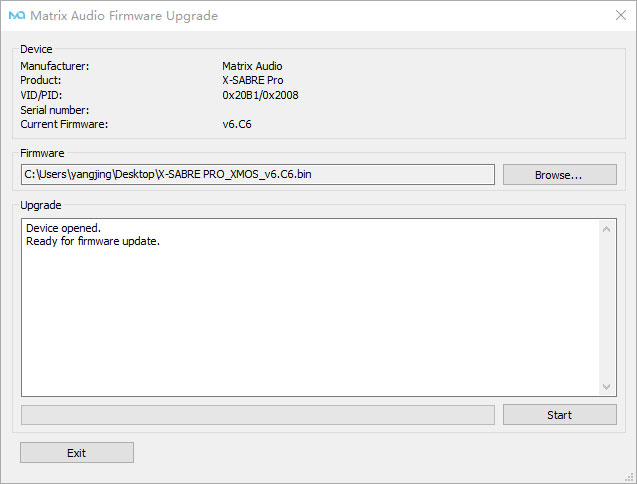
4. Itwillshowthesuccessaftertheupdateiscomplete,whiletheversionnumberwillbecome "v6.C6",asshownbelow.
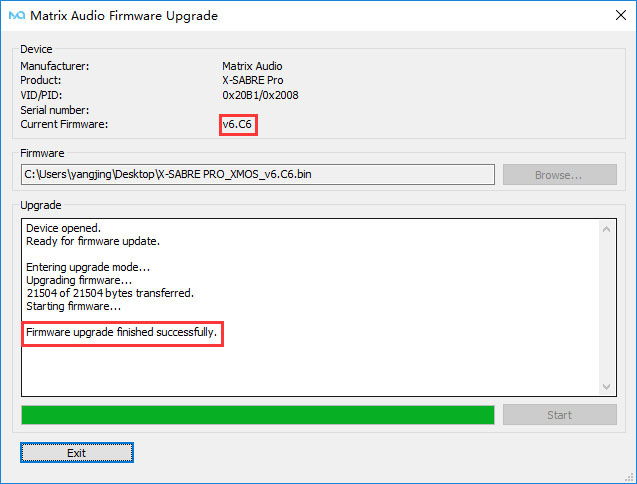
5. Turnoffthepowertocompletetheupdate,andthenyoucanuseitnormally.
If there is an unexpected situation during the upgrade, please disconnect the power of the device and contact us in time.
Technic support:support@matrix-digi.com